Active Development

ForgeUI Studio for ESP32-P4

Visual LVGL development for ESP32-P4

Design, preview, export and run editable LVGL interfaces using a visual workflow built around real ESP32-P4 hardware.

Public Studio installer: coming soon.

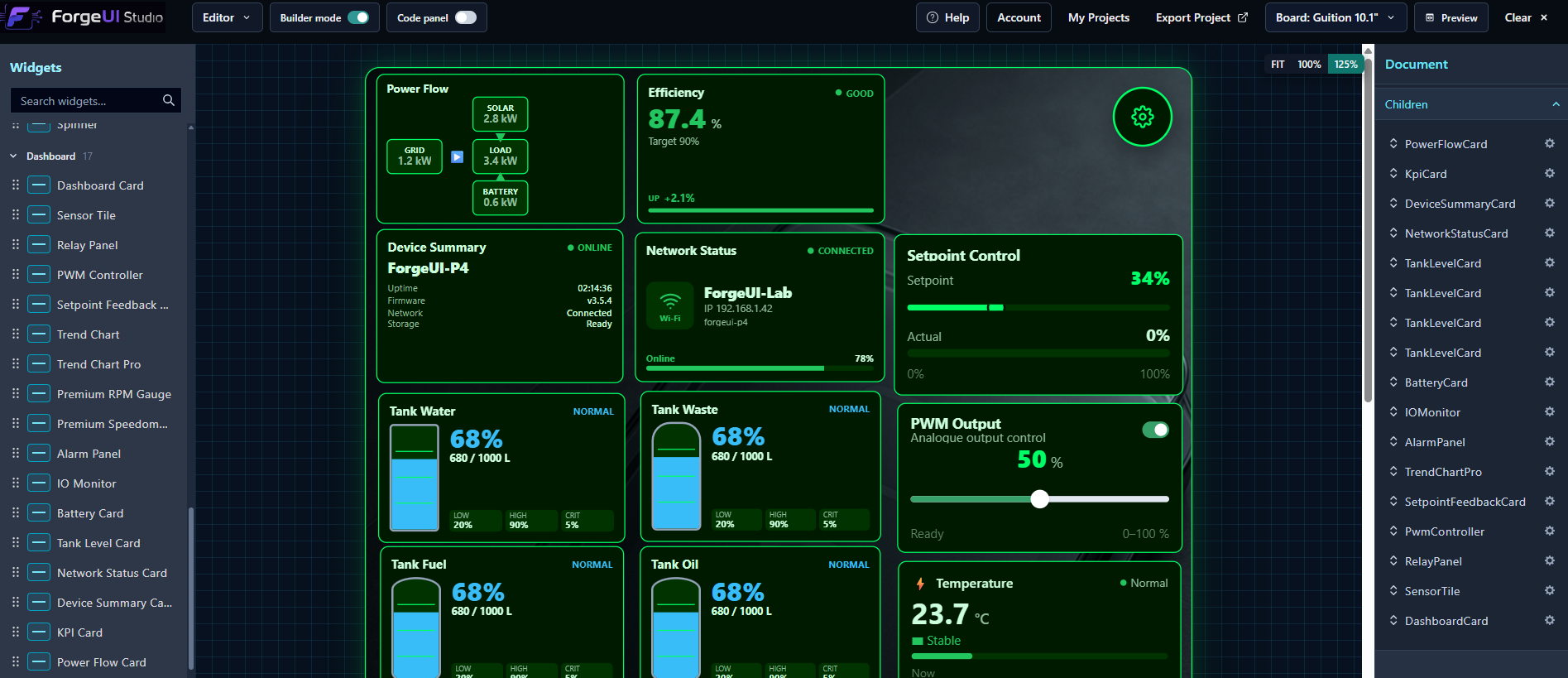
ForgeUI Studio Canvas
Genuine Studio capture

Genuine product views

ForgeUI Studio In Action

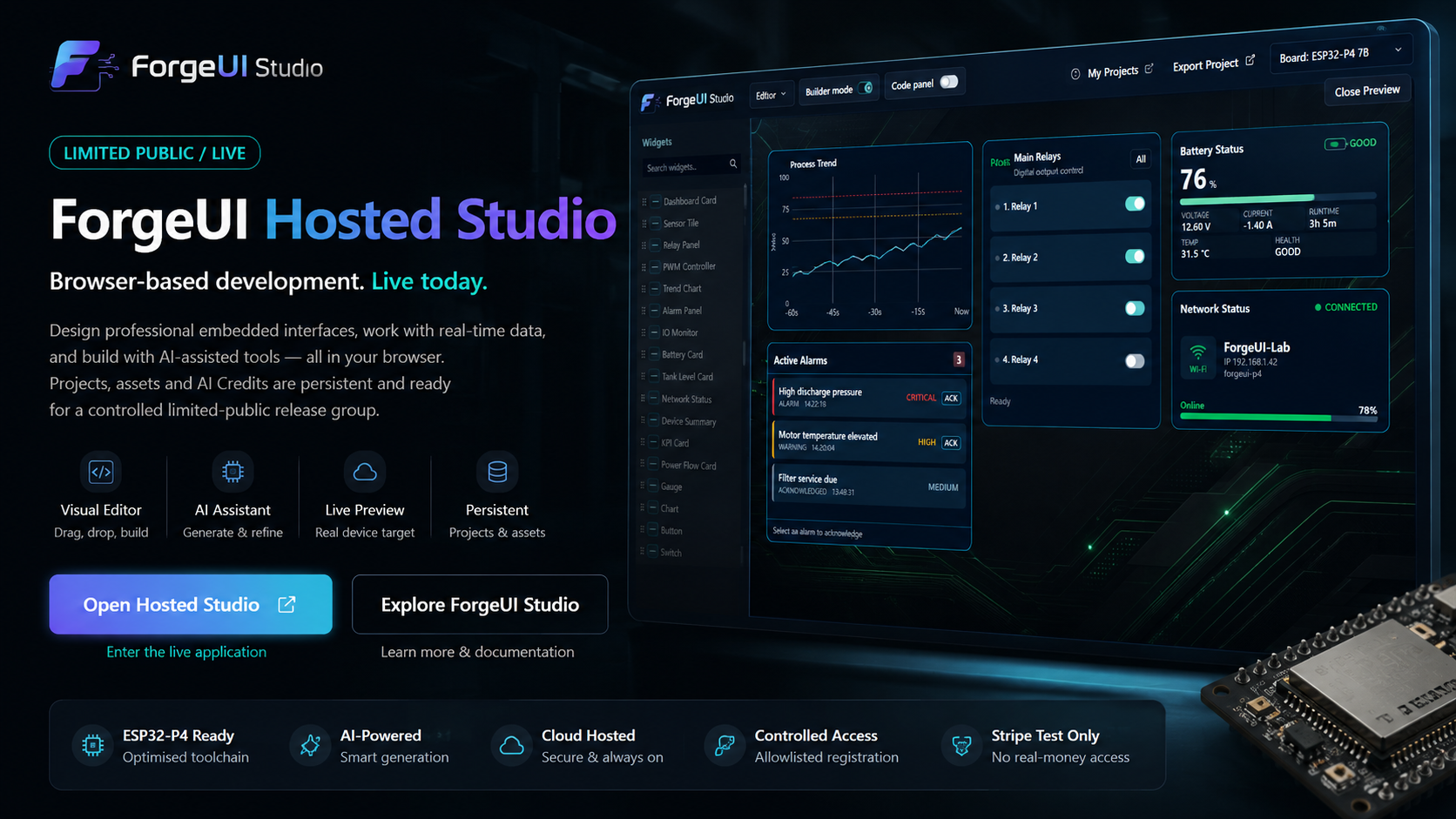
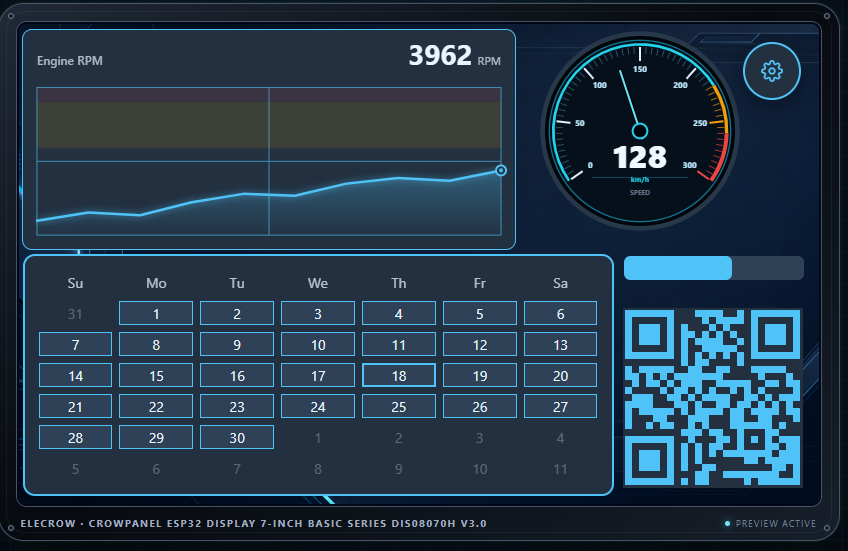
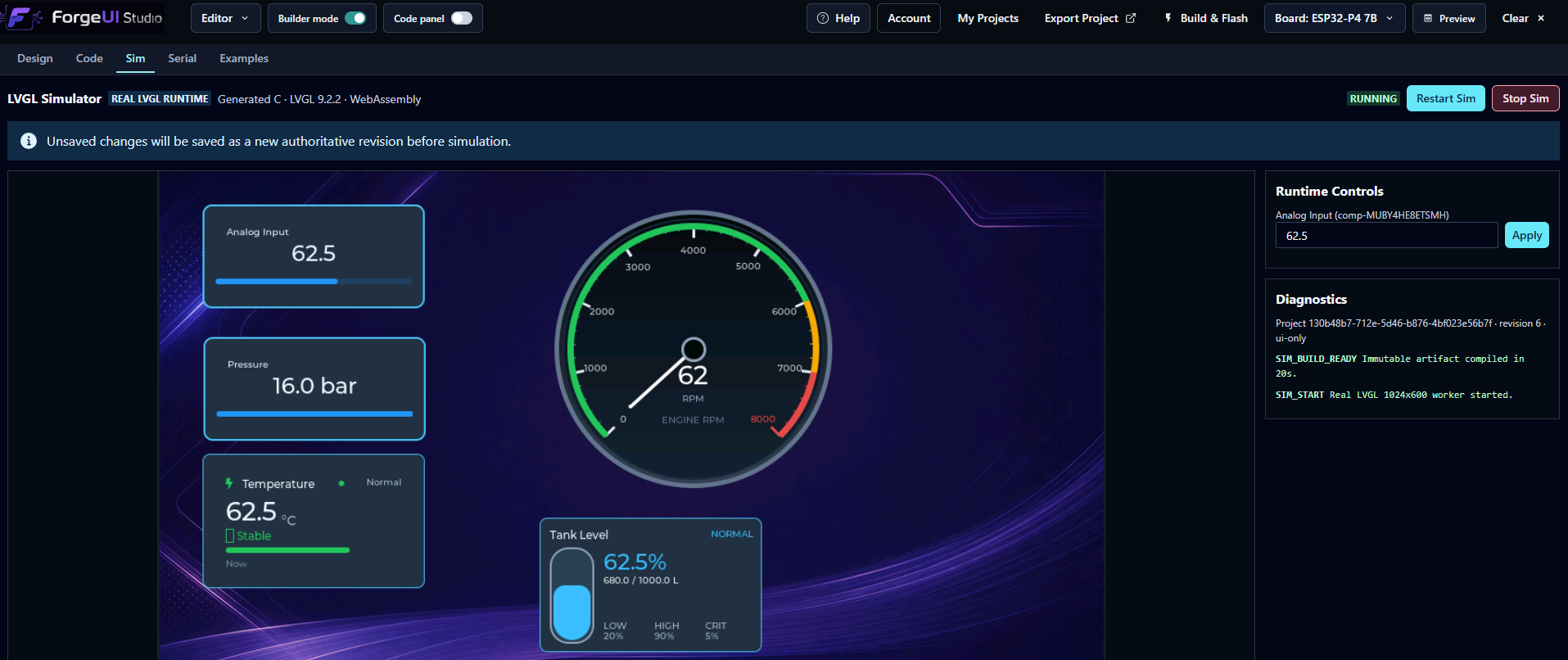
ForgeUI Studio designs, previews and deploys embedded HMIs directly to ESP32-P4 hardware. These are real screens from the working product, from AI-assisted creation to the visual canvas and device toolchain.

ForgeUI promotional artwork

Design. Preview. Flash.
Made for embedded experiences
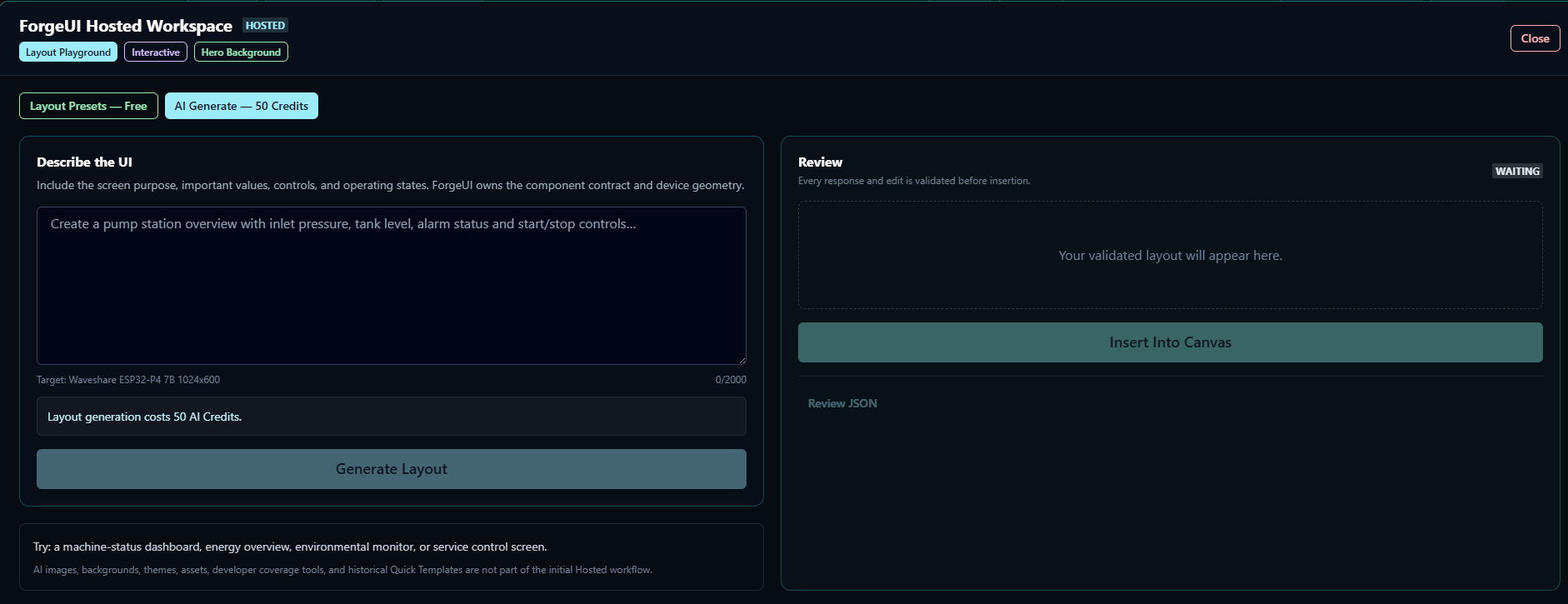
Describe ItSet the visual atmosphere in natural language inside AI Playground.
Visual UI BuilderCompose the interface on a live, target-aware 1024 × 600 canvas.
Live PreviewReview the embedded experience at its real target dimensions.
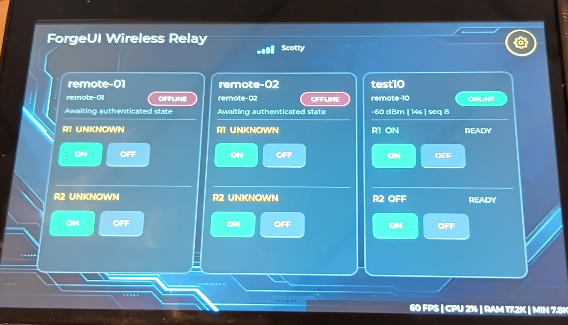
Generated Target ResultInspect the generated 1024 × 600 result after the Studio build and flash path.
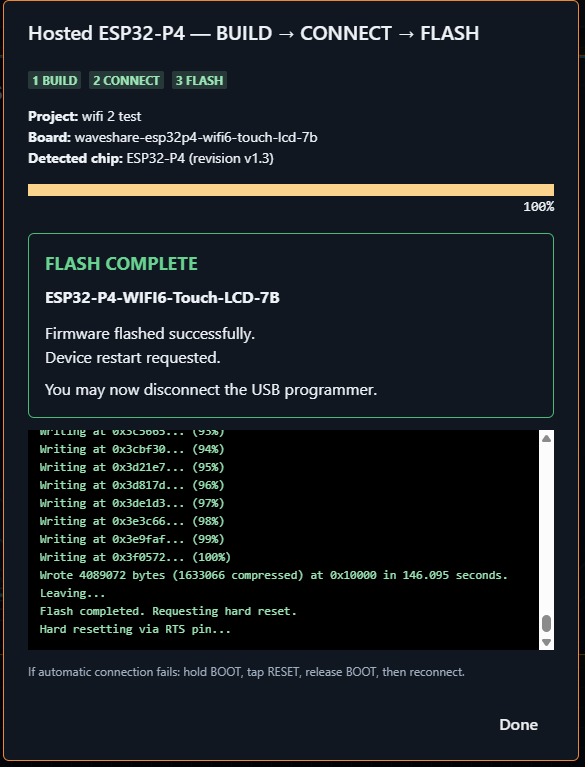
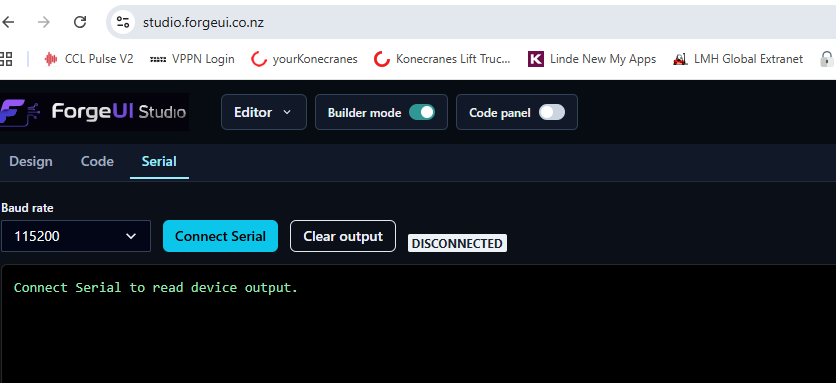
Integrated Build & FlashFollow the native ESP-IDF build without leaving the visual workspace.

Complete Studio workflow

From natural language to real hardware.

One connected workflow carries the interface from its first idea to native LVGL running on a physical ESP32-P4.

  1. Step 1

    AI Playground

    Describe a device in natural language and ForgeUI AI generates premium embedded hero backgrounds.

  2. Step 2

    Visual UI Builder

    Drag and drop LVGL components onto a live 1024×600 canvas while designing your application visually.

  3. Step 3

    Live Preview

    Preview the final embedded interface instantly before compiling.

  4. Step 4

    Generated Device Result

    Review the same generated layout after it passes through the integrated native build and flash workflow.

Natural Language → AI Playground → Visual Builder → Browser Preview → Native Build & Flash → ESP32-P4

Same dashboard · Nine complete themes

One dashboard. Multiple industries.

Build the dashboard once, then apply complete ForgeUI themes across panels, charts, controls, indicators and Interactive Assets. The structure and widget behaviour stay fixed while semantic colour roles transform the complete interface coherently.

Canvas and Browser Preview evidence. These images demonstrate design-time theme application; they do not claim runtime theme switching on hardware.

Premium AmberAmber semantic accents over the luxury-gold dashboard background.
Brushed SteelCool steel panels and restrained grey controls.
Control Room BlueBlue control-room roles applied across charts, panels and controls.
Forge OrangeForge orange accents carried through the complete dashboard.
Industrial CarbonDark carbon surfaces with amber industrial emphasis.
Military PlateOlive and green roles for a rugged industrial identity.
Nebula CorePurple semantic roles across the same dashboard structure.
Nordic FrostBright frost surfaces with cyan data and control accents.
OLED BlackHigh-contrast black surfaces with white semantic roles.

Ready-to-flash projects

From Studio canvas to ESP32-P4 hardware

Download a tested exported project when a release package is available, or explore the Studio that generated it. Every featured project has a verified release and ESP-IDF source.

ESP32-P4 · LVGL v9

Arctic Glass

v2.0.0 · Latest Release

A bright frosted-glass dashboard combining weather, gauges and environmental telemetry.

Ready to FlashESP32-P4 TestedBSP Included

Release package unavailable. A tagged source ZIP is available from the release page.

ESP32-P4 · LVGL v9

Cyberpunk Navigator

v1.0.0 · Latest Release

A dense marine navigation HMI with charting, heading, depth and vessel status panels.

Ready to FlashESP32-P4 TestedBSP Included

Release package unavailable. A tagged source ZIP is available from the release page.

ESP32-P4 · LVGL v9

EV Fast Charge Night

v1.0.0 · Latest Release

A night-mode EV charging scene designed for clear, focused charge-session controls.

Ready to FlashESP32-P4 TestedBSP Included

Release package unavailable. A tagged source ZIP is available from the release page.

Core capabilities

A practical embedded UI workspace.

The Canvas is the centre of ForgeUI Studio. Preview, asset, AI, export and System tools connect around it without hiding the native embedded workflow.

Primary workspace

Visual Canvas

Drag, position, resize and configure components against the current device dimensions while keeping the target and generated output in view.

Target
1024 × 600
Runtime
Native LVGL 9
Output
ESP-IDF project
Preview

Browser Preview

Review layout and supported interaction states before export.

Design

Theme Manager

Coordinate colour systems and uploaded background artwork.

Assets

Interactive Assets

Build reusable controls with matching state artwork.

Assist

AI Studio

AI-assisted layouts and artwork remain editable through normal Studio tools.

Export

Build & Flash

Compile, flash and inspect the target from the Studio workflow.

Native

LVGL export

Generate native LVGL 9 C and locally converted image assets.

System

Built-in Wi-Fi Manager

Generate proven network scanning and connection controls.

System

Storage Browser

Navigate SD storage and use the current safe storage tools.

Genuine product views

Inside ForgeUI Studio

Real Studio screens showing different parts of the current design, asset, AI-assisted and native export workflow.

Visual CanvasA device-aware 1024 × 600 workspace for arranging the interface.
AI layout creationGuided layout generation in ForgeUI AI Playground.
Theme ManagerStudio palettes and uploaded backgrounds in one workspace.
Asset ManagerUpload and convert genuine UI assets for native LVGL output.
Interactive RockerAssign matched off and on artwork to a reusable control.
AI ArtworkCreate and review optional AI-assisted interface artwork.
Generated codeKeep native output visible alongside the visual workspace.
Standalone workspaceContinue with the exported project through normal ESP-IDF tooling.

Generated System Runtime

Working platform tools, generated with the interface.

System Launcher, Display, Wi-Fi and Storage are implemented generated platform features with Browser Preview parity and physical validation on the reference ESP32-P4 target.

System Launcher

Open the generated Display, Wi-Fi and Storage platform tools from one persistent launcher.

Display & Brightness

Control the live ESP32-P4 backlight through the generated LVGL brightness page.

Wi-Fi Manager

Scan and refresh live SSIDs, inspect RSSI and security, connect, disconnect, reconnect and forget networks.

Storage Browser

Browse SD folders, page results, refresh, run read/write tests, select items and delete empty folders.

The Wi-Fi password workflow uses a working reusable native LVGL keyboard with Show/Hide, Done and Cancel behavior.

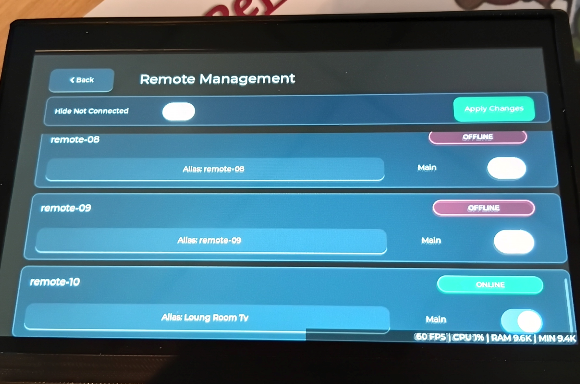
Hosted Wi-Fi runs through the ESP32-C6 on SDIO Slot 1 while SD storage uses SDMMC Slot 0; both operate simultaneously.

Hardware-proven development

Designed for Real Hardware

Browser Preview, generated LVGL and the physical ESP32-P4 remain visually aligned throughout development. The current 1024 × 600 Waveshare ESP32-P4-WiFi6-Touch-LCD-7B reference target runs LVGL 9 with ESP-IDF 5.5.4.

The screenshots compare preview and generated output. Physical validation is recorded for the reference target in the Project Spine and does not imply universal ESP32-P4 board compatibility.

Browser Preview · Browser Preview at the selected 1024 × 600 target dimensions.
Generated LVGL result · The matching interface after the native build and flash workflow.

Decoupled export architecture

Built for Developers

ForgeUI visually generates the interface. It does not take ownership of your firmware. Generated UI and permanent application logic stay in separate source layers.

Read the export architecture →

90_Studio_Export.c

Studio-managed generated UI

  • LVGL screen creation
  • Component creation
  • Assets and styles
  • Generated state handling
  • Generated callback wiring

Generated and replaceable when the interface is exported again.

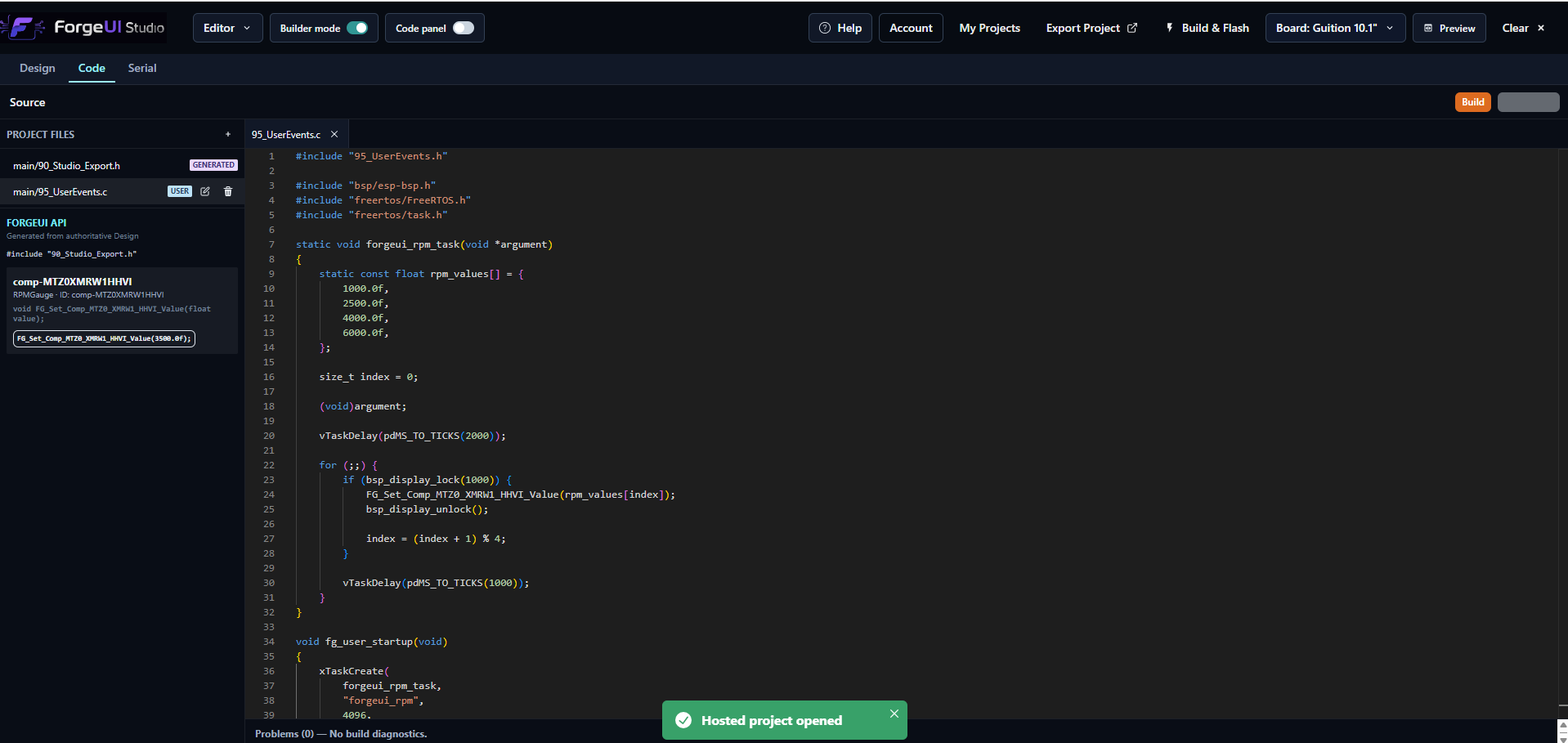
95_UserEvents.c

Developer-owned application logic

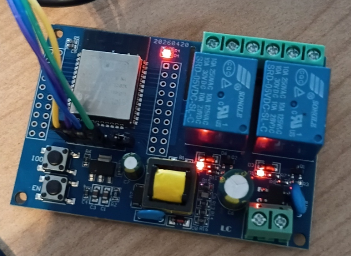
  • GPIO and relays
  • Sensors and motors
  • Networking
  • Storage
  • Product-specific behaviour

Owned and extended through normal embedded development practices.

Export flow

  1. ForgeUI Studio
  2. 90_Studio_Export.c
  3. Generated event hooks
  4. 95_UserEvents.c
  5. ESP-IDF application
  6. ESP32-P4 hardware

Generated hook. Developer behavior.

ForgeUI generates the visual control and callback. The developer decides what the control does.

95_UserEvents.cC
void FG_On_PumpSwitch_Toggled(bool enabled)
{
    pump_set_enabled(enabled);
}

Standalone ESP-IDF export

Build in Studio. Ship without Studio.

Exported projects are normal standalone ESP-IDF projects. Keep using ForgeUI, or continue entirely with your existing toolchain.

Normal development workflow

  • Built outside ForgeUI
  • Modified manually
  • Version controlled
  • Integrated into an existing product
  • Shipped without a ForgeUI runtime dependency

No runtime lock-in

  • No cloud runtime required
  • No proprietary loader required
  • No ForgeUI dependency on the device
  • Full source-code ownership after export

The UI is generated.
The firmware remains yours.

Practical implementation details

Developer Questions Answered

Direct answers about generated code, ownership, regeneration and normal ESP-IDF development.

Open developer documentation →
Why doesn't ForgeUI lock me into its runtime?
ForgeUI exports a complete standalone ESP-IDF project. After export, the project belongs to you: no cloud dependency, proprietary runtime or hidden services. Build it with normal ESP-IDF tools.
Is the exported project real ESP-IDF code?
Yes. It is a normal ESP-IDF project. Run idf.py build, idf.py flash and idf.py monitor. Open it in VS Code, commit it to Git and continue development like any other ESP-IDF application.
What happens to my images?
Every PNG is converted into native C image assets with generated image descriptors. The compiled C source is linked directly into the firmware—no filesystem, runtime asset loading or external dependency is required.
What does ForgeUI actually generate?
Studio generates LVGL object creation, screen hierarchy, styles, layout, themes, image descriptors, fonts, callbacks and runtime glue. You avoid hand-writing repetitive LVGL boilerplate while retaining the generated C source.
Where does my application code go?
Generated UI stays in 90_Studio_Export.c. Developer code belongs in 95_UserEvents.c. This boundary keeps regeneration safe: UI updates do not overwrite application behaviour.
Can I regenerate the UI later?
Yes. Modify the interface in ForgeUI Studio and export again. The generated UI layer updates while developer logic remains isolated in its own source layer.
Can I add my own ESP-IDF components?
Yes. Add drivers, FreeRTOS tasks, Wi-Fi, BLE, MQTT, USB, CAN, SPI, I²C, sensors, motors, GPIO, storage or networking. ForgeUI does not restrict normal firmware development or anything supported by ESP-IDF.
What happens after I press Export?
Studio generates the LVGL UI, converts assets to C, creates image descriptors, runtime code, event hooks and the two source layers. The result is a standalone project ready for idf.py build and idf.py flash.
Is this just another code generator?
No. ForgeUI generates the repetitive LVGL interface while intentionally leaving product behaviour to the developer. Generated UI and developer logic remain separate, explicit C layers.
Do I still own the firmware?
Absolutely. The exported project is yours. Build it, modify it, version it and ship it. ForgeUI creates the interface; it does not control your product.

Export pipeline

What happens after Export

  1. 01ForgeUI Studio
  2. 02Generate LVGL UI
  3. 03Convert every asset into C source
  4. 04Generate image descriptors
  5. 05Generate runtime
  6. 06Generate event hooks
  7. 07Generate 90_Studio_Export.c
  8. 08Generate 95_UserEvents.c
  9. 09Standalone ESP-IDF Project
  10. 10idf.py build
  11. 11idf.py flash
  12. 12Real ESP32-P4 Hardware

Architecture

ForgeUI Studio
90_Studio_Export.cGenerated UI
95_UserEvents.cDeveloper Logic
ESP-IDF
ESP32-P4
95_UserEvents.cC
void FG_On_PumpToggle_Toggled(bool enabled)
{
    gpio_set_level(PUMP_GPIO, enabled);
}

Developer trust

Why Embedded Developers Like This

  • Native ESP-IDF project
  • Native C source
  • Native LVGL
  • Assets compiled into firmware
  • No proprietary runtime
  • No cloud dependency
  • Clean generated architecture
  • Separate generated UI and developer logic
  • Easy regeneration
  • Git friendly
  • Ready for production
  • Flash directly using idf.py
  • Continue development in VS Code
  • Full source ownership

Source-level evidence

Developer Export Walkthrough

Two real Studio scenarios and the source files produced by the export. The screenshots show the interface path; the C and CMake files show what enters the firmware build.

From Prompt to Firmware

Natural language defines the visual asset. Studio places real LVGL controls over it, previews the result and passes the exported project to ESP-IDF for build and flash.

01Natural-language briefScenario 1 begins with a precise visual prompt for a 1024×600 yacht dashboard background.
02Generated previewThe generated asset is placed at target dimensions and reviewed in Browser Preview before firmware work begins.
03Second device directionScenario 2 uses a separate 1024×600 control-panel brief, proving the workflow is prompt-driven rather than template-bound.
04Clean target previewThe second generated background is reviewed without controls, establishing the visual baseline.
05Interactive LVGL compositionA three-position switch and status light are added to the live interface, with generated state assets and callback wiring.
06Native build and flashThe same interface enters ForgeUI's integrated ESP-IDF console, invoking the normal idf.py build path for the target.

Natural Language → ForgeUI AI → Visual Builder → Preview → Build → Flash → Running on ESP32-P4

What Actually Gets Exported?

These cards are based on the supplied exported files, not illustrative pseudocode. Each file has a distinct ownership and build role.

90_Studio_Export.c

Studio-generated UI layer

A 103 KB generated implementation containing LVGL object creation, screen hierarchy, themes, styles, layout, asset registration, callback wiring and runtime glue. It removes repetitive interface boilerplate while remaining readable native C.

  • Declares converted three-state image assets
  • Creates and positions the LVGL control
  • Routes state changes into the developer hook
Read the full guide →
LV_IMAGE_DECLARE(fg_upload_ai_three_position_left_...);LV_IMAGE_DECLARE(fg_upload_ai_three_position_center_...);LV_IMAGE_DECLARE(fg_upload_ai_three_position_right_...); .changed_cb = FG_On_ThreePositionToggle_Changed, lv_obj_add_event_cb(button, fg_three_way_input_event_cb,                    LV_EVENT_CLICKED, &three_way);

95_UserEvents.c

Developer-owned behaviour layer

The exported copy is the safe application-integration layer. GPIO, relays, motors, sensors, BLE, Wi-Fi, MQTT, storage and product behavior belong here—not in replaceable generated UI code.

  • Receives generated, typed event hooks
  • Remains isolated when the UI is regenerated
  • Connects controls to real application behavior
Read the full guide →
void FG_On_ThreePositionToggle_Changed(    fg_three_way_state_t state){    printf("[ForgeUI User Event] ...: %s\n", text);}

CMakeLists.txt

Native ESP-IDF component manifest

The export already registers the runtime, generated UI, developer hooks and converted asset source files with ESP-IDF. Open the project, build it and flash it—there is no secondary build system or manual file copying.

  • Registers generated and developer source layers
  • Compiles converted image assets as C
  • Declares standard ESP-IDF and board dependencies
Read the full guide →
idf_component_register(    SRCS        "90_Studio_Export.c"        "95_UserEvents.c"        "assets/uploads/fg_upload_ai_...c"    REQUIRES driver esp_event esp_wifi fatfs sdmmc)

Every Asset Becomes Firmware

Uploaded images are converted into C source and LVGL descriptors, then registered by CMake and linked into the application. There is no target filesystem, runtime image loader or external asset dependency.

  1. 01

    Uploaded PNG

  2. 02

    ForgeUI conversion

  3. 03

    Native C source

  4. 04

    LVGL image descriptor

  5. 05

    Compiled into firmware

  6. 06

    ESP32-P4

Why This Matters

Traditional LVGL workflow

  • Create LVGL objects manually
  • Manage and convert assets manually
  • Write and revise layouts manually
  • Maintain object references
  • Wire and track callbacks
  • Protect application code during UI changes

ForgeUI workflow

  • Describe the visual direction
  • Design with live LVGL controls
  • Preview at 1024×600
  • Export native source
  • Continue normally inside ESP-IDF

Developer Ownership

After export, ForgeUI steps aside.

The project becomes yours. Use Git, VS Code and idf.py. Add any ESP-IDF component, modify any source file and ship the resulting firmware commercially. There is no ForgeUI runtime lock-in.

Proof

The workflow shown here is real.

The page shows actual Studio screenshots, generated C source, exported ESP-IDF structure, the real build pipeline and physical ESP32-P4 hardware. It is not conceptual artwork.

Design visually. Export native C.
Build with ESP-IDF. Own the firmware.

Current Hero Background examples

Built with ForgeUI.

Assignable backgrounds created through ForgeUI Studio, spanning industrial, medical, automation, energy, marine, space, transport, luxury and research directions.

These examples demonstrate visual range. They are not presented as downloadable project packages.

Industrial FactoryIndustrial
Mining OperationsIndustrial
Warehouse AutomationAutomation
Battery Energy StorageEnergy
Fusion Energy CoreEnergy
Medical LaboratoryMedical
Medical MonitorMedical
Marine RadarMarine
Fishing SonarMarine
Mars HabitatSpace
Space CommandSpace
EV Fast ChargerTransport
Luxury SupercarLuxury
Quantum ComputerResearch

Supporting project catalogue

Explore ForgeUI interface projects.

Browse current and upcoming interfaces that demonstrate ForgeUI workflows and reusable components. Future packages may include editable project content and standalone exports; actual availability is shown per catalogue entry.

Browse all UI projects
Studio WorkflowProven

Visual Builder Canvas

Device-aware visual editing for complete 1024 × 600 interfaces.

Resolution
1024 × 600
Target
ESP32-P4 touchscreen
Studio WorkflowProven

Browser Preview

Fast geometry and interaction checks before native export.

Resolution
1024 × 600
Target
ESP32-P4 touchscreen

ForgeUI Studio

Build the interface visually. Keep control of the firmware.

ForgeUI generates native LVGL and ESP-IDF project output while application behaviour remains in normal developer-owned code.